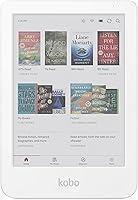
Kobo vs Boox: Which E-Reader Brand Fits You? (October 2026)
Choose Kobo Libra Colour for built-in library borrowing and waterproof reading; choose Boox Go Color 7 Gen II for Android apps and wider file support. This Kobo vs Boox comparison helps you match each reader to your books, apps and reading habits.
On this page (11 sections)
- Kobo vs Boox: which reader fits your routine?
- Which color E Ink reader is better for comics?
- Which reader handles more file types?
- Which one is easier to use for page turning?
- Which has the better screen and lighting?
- Is Kobo or Boox better for notes?
- Which reader is safer around water?
- How do Kobo and Boox compare on storage and battery?
- How should you set up Kobo or Boox?
- What mistakes should you avoid when choosing?
- Kobo Libra Colour vs Boox Go Color 7 Gen II: which should you choose?
Kobo Libra Colour suits readers who want built-in library borrowing and waterproof protection; Boox Go Color 7 Gen II suits readers who want Android apps and broad file support. This Kobo vs Boox comparison helps you choose between two 7-inch color E Ink readers with page-turn buttons.
The main decision is how you get books and what else you want your reader to do. Kobo centers on its store, Kobo Plus, Pocket and built-in OverDrive borrowing, while Boox runs Android 13 and supports third-party apps.


Kobo vs Boox: which reader fits your routine?
Pick Kobo for a focused reading setup with built-in library borrowing; pick Boox if Android apps and flexible file support matter more. Start by listing the services and file types you already use.
Kobo Libra Colour connects to the Kobo Store, Kobo Plus, Pocket and local library eBooks through OverDrive. This makes it a direct fit if library borrowing is part of your regular reading routine and you'd rather use a reader designed around books than configure a range of apps.
Boox Go Color 7 Gen II offers Android 13, third-party app support and a microSD card slot. It can suit a reader whose books, articles and documents live across several services, or who wants to use apps on an E Ink device.
That flexibility asks you to make more choices during setup. If you want a short path from device setup to a library book, Kobo's named borrowing feature gives it the advantage; if you want to select apps and reading tools, Boox has the broader platform.
Kobo vs Boox for library books and apps
Choose Kobo for built-in OverDrive borrowing; choose Boox if you want to use Android apps for your reading services. Neither choice guarantees that every app will behave the same way on an E Ink screen.
OverDrive is part of the Libra Colour's reading options. The Go Color 7 Gen II doesn't name a built-in library service, but its Android system may let you install an app you already use.
Before relying on an app, check that it supports the service and tasks you need. Reading a book, borrowing it, managing a hold and browsing a catalog can involve different app features.
If you're comparing brands beyond these two, the best Kindle alternatives covers readers with different store and software approaches. For a quick overview of the main device types, read our guide to e-readers.
Which color E Ink reader is better for comics?
Both readers support common comic formats such as CBR and CBZ; Boox names more file types overall. Let your current collection guide this choice, since a longer format list matters only when you need it.
Kobo Libra Colour supports CBR, CBZ, EPUB, PDF and several image formats. Its full-color screen can show comics and graphic novels, and the separately sold Kobo Stylus 2 can add colorful markups.
Boox Go Color 7 Gen II also supports CBR, CBZ, EPUB and PDF, with additional formats such as DJVU, DOCX, PPTX and ZIP. That range can be useful if your reading collection includes documents as well as books and comic files.
Color E Ink has a more subdued appearance than an LCD or LED screen. Boox lists 4096 colors, with 300 ppi for black and white and 150 ppi for color, so don't choose either device expecting tablet-like brightness or color intensity.
Which reader handles more file types?
Boox names more document and media formats, while Kobo covers common eBooks, comics, PDFs and images. Check the files you actually have before treating format breadth as a deciding advantage.
Kobo lists EPUB, EPUB3, PDF, MOBI, CBR, CBZ, HTML, RTF, TXT and common image formats. Those options cover many everyday book and comic collections, particularly when you get books through Kobo or borrow them with OverDrive.
Boox names those core formats alongside office files, DJVU, ZIP, PRC, CHM and audio formats including MP3 and WAV. Its broader selection may suit someone who reads work documents or files from varied sources on the same device.
For some Kindle owners, file access matters as much as file support. Our guide to reading Kindle books on a Kobo explains a compatibility question to settle before moving an existing library.
Which one is easier to use for page turning?
Both have physical page-turn buttons; Kobo also lists left and right screen rotation and landscape mode. Choose according to how you hold a reader and whether you want more layout options.
The Libra Colour has page-turn buttons, left and right screen rotation, landscape mode, and controls for font size and margins. These are useful when you want to adjust a book's layout or switch which hand holds the device.
The Go Color 7 Gen II also has page-turn buttons and a G-sensor for automatic rotation. Its physical controls give you a way to turn pages without tapping the screen, while automatic rotation can suit readers who change orientation.
Don't choose on button count alone. Consider whether you read one-handed, use larger fonts or margins, and prefer a fixed or changing screen orientation; a case can also add bulk to a handheld device.
Which has the better screen and lighting?
Boox names warm and cold front lighting, while both devices use 7-inch color E Ink. Choose based on the controls you want and be prepared for a screen that looks different from a phone or tablet.
The Libra Colour has a color E Ink touchscreen and dark mode. Its listed features don't specify warm and cold lighting adjustment, so consider whether that control matters to you before choosing it.
The Go Color 7 Gen II names front lighting with warm and cold color temperature adjustment. It also has refresh modes for different kinds of screen activity, from static reading to browsing and more dynamic content.
Boox describes color E Ink as darker and grayer than LCD or LED displays. If you want bright, saturated color for video or fast-moving content, an E Ink reader is a poor substitute for a tablet.
Readers still deciding between screen types can compare E Ink and LCD for reading. That guide can help you weigh a paper-like reading device against a brighter screen for general use.
Is Kobo or Boox better for notes?
Both can support note-taking, but each requires a separately sold stylus for the named stylus features. Kobo is compatible with Kobo Stylus 2; Boox supports active InkSense and doesn't support EMR styluses.
Kobo Libra Colour supports colorful markups, highlights and notes with Kobo Stylus 2. The stylus is sold separately, and Kobo positions the device for uses such as a journal or daily planner as well as reading.
Boox Go Color 7 Gen II supports drawing and note-taking, with 4096 levels of pressure sensitivity. Its active InkSense stylus isn't included, so factor in the separate accessory if handwriting is central to your plans.
For occasional highlights or notes in a book, either device could fit. If handwriting and PDFs are the main job, a larger screen may be a better fit; see the best E Ink tablets for note taking and PDFs.
Which reader is safer around water?
Kobo Libra Colour is the clear choice if waterproof protection matters because it has an IPX8 rating. The Go Color 7 Gen II has no stated waterproof rating, so keep it away from sinks, baths and pools.
Kobo rates the Libra Colour for up to 60 minutes in up to 2 meters of water. That can make it a more suitable choice for reading near a bath or pool, though you should follow Kobo's care guidance and avoid treating the rating as a reason to take unnecessary risks.
A case can help protect a device during everyday carrying, but don't assume a case makes the Boox waterproof. If water resistance is a must, compare options in our guide to waterproof e-readers.
How do Kobo and Boox compare on storage and battery?
Boox offers more built-in storage and a microSD card slot; Kobo gives a stated average battery life of 4 weeks. Base your choice on how many large files you keep and whether you value a published battery estimate.
The Go Color 7 Gen II has 64GB of built-in storage and supports microSD cards. The Libra Colour has 32GB, and Kobo says it can hold up to 24,000 eBooks or 150 Kobo Audiobooks.
Kobo lists an average battery life of 4 weeks. Boox lists a 2,300mAh battery but doesn't provide a comparable runtime estimate, so don't assume its charge interval will match Kobo's.
For either reader, keep a charging routine that fits your use. Wi-Fi, lighting and audio can affect battery use, and large document or image files take more room than text-based books.
How should you set up Kobo or Boox?
Start by connecting the services and files you plan to use, then adjust the screen for comfortable reading. A little setup can prevent frustration with library access, apps and color E Ink.
On Kobo, connect to the Kobo Store and set up OverDrive if you borrow from a local library. Add Pocket if you save articles, and set your preferred font size, margins and screen orientation before settling into a long reading session.
On Boox, connect to Wi-Fi, choose the apps you need and move in a few representative files before building a larger library. Try a supported refresh mode for the content you are viewing; the device provides modes for static reading, browsing and dynamic content.
Both screens will look more subdued than a phone or tablet. Adjust front lighting where available, then try a familiar book page or comic page to judge text size, contrast and color before committing to a large file collection.
What mistakes should you avoid when choosing?
The most common mistake is choosing by a single headline feature instead of checking how you read. Match your library, apps, files and reading environment to the device.
Don't buy Boox for apps without checking whether the apps you rely on work well for your reading tasks on E Ink. Android access adds options, but it doesn't make the screen behave like an LCD tablet.
Don't choose Kobo for library borrowing without checking whether your library uses OverDrive. Also remember that a device's support for EPUB or another format doesn't automatically resolve restrictions on books tied to a different store or account.
Finally, don't assume color E Ink will look vivid indoors or outdoors, or that both devices have the same water protection. Confirm the features that matter to you, and budget separately for a stylus if handwritten notes are part of your plan.
Kobo Libra Colour vs Boox Go Color 7 Gen II: which should you choose?
Choose Kobo Libra Colour for built-in OverDrive, IPX8 protection and a Kobo-centered reading setup; choose Boox Go Color 7 Gen II for Android apps, more storage and broader format support. Use your current library and daily reading habits to make the call.
Pick the Kobo Libra Colour if you borrow through OverDrive, read near water or want your reading options centered on Kobo. Skip it if Android apps or a wider range of work-file formats are essential to your routine.
Pick the Boox Go Color 7 Gen II if you want third-party apps, expandable storage or more named document formats. Skip it if built-in library borrowing or a stated waterproof rating is a must, or if you want a simpler setup.
For more detail on the Kobo device, read our Kobo Libra Colour review. If size and shape are still in question, compare it with Kobo Clara Colour vs Libra Colour.
Which Kobo vs Boox reader fits your needs?
For built-in library borrowing and waterproof reading, choose Kobo; for Android app flexibility and expandable storage, choose Boox. Match the device to your books and services, then read our guide to choosing an e-reader if neither feels like a clear fit.
Frequently asked questions
Is Kobo or Boox better for library books?
Kobo Libra Colour has built-in OverDrive support for borrowing eBooks from a local library. The Boox Go Color 7 Gen II supports Android apps, so it may suit a library service with an app you want to use, but its named features don't include built-in library borrowing.
Can you use apps on the Boox Go Color 7 Gen II?
Yes. The Go Color 7 Gen II runs Android 13 and supports third-party apps.
That gives you more app options than a reader centered on its own store and library features, though the screen remains color E Ink rather than LCD.
Are Kobo Libra Colour and Boox Go Color 7 Gen II waterproof?
The Kobo Libra Colour has IPX8 waterproof protection, rated for up to 60 minutes in up to 2 meters of water. The Go Color 7 Gen II has no stated waterproof rating, so keep it away from water.
Which has more storage, Kobo Libra Colour or Boox Go Color 7 Gen II?
The Boox Go Color 7 Gen II has 64GB of built-in storage and a microSD card slot. The Kobo Libra Colour has 32GB.
Kobo says the Libra Colour can hold up to 24,000 eBooks, though actual capacity depends on file sizes and other content.
Can you write notes on both color e-readers?
Both support note-related use, but the stylus details differ. Kobo Libra Colour is compatible with Kobo Stylus 2, sold separately; Boox Go Color 7 Gen II supports the active InkSense stylus, which isn't included, and doesn't support EMR styluses.