Kindle Help and Matchups
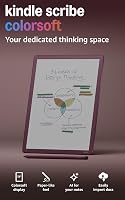
Kindle Scribe vs Kindle Paperwhite: Which to Buy?
Kindle Scribe vs Kindle Paperwhite: compare screen size, writing tools, portability and reading comfort to pick the Kindle that fits how you read and work.
Answers about battery life, storage, ads, Wi-Fi, library loans and the Paperwhite and Signature Edition.
Kindle Scribe vs Kindle Paperwhite: compare screen size, writing tools, portability and reading comfort to pick the Kindle that fits how you read and work.
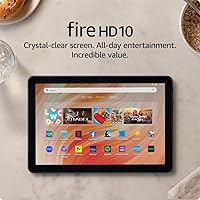
Kindle Paperwhite vs Kindle Fire: compare the reading screen, battery life, apps and entertainment to pick the e-reader or tablet that fits how you read.

Can you read EPUB on Kindle? Yes, send EPUB files with Amazon’s Send to Kindle service for conversion. Learn the steps and compare direct EPUB support.

Do you need Wi-Fi to use a Kindle? Learn what works offline, when you need a connection, and how to prepare your books, setup, and reading.
How long does a Kindle last? Learn what affects its lifespan, how to spot battery wear, and when repair, replacement, or a newer Kindle makes sense.
Find out how many books a Kindle can hold, how storage size affects capacity, and what to consider for ebooks, audiobooks, and a growing library.
Learn how to borrow library books on Kindle through Libby, choose a reader, complete delivery, avoid common mistakes, and handle holds and loan due dates.
Learn how to transfer books to Kindle by email, USB, or Send to Kindle, and which file types work. Find the right route for your device and book.
Kindle Paperwhite vs Signature Edition: compare storage, lighting and charging to choose the 16GB Paperwhite or 32GB Signature Edition for your reading habits.
Learn how Kindle warm light works, which readers offer amber screen tones, how to choose a model, and tips for adjusting the display to your room.

A Kindle without ads may suit you if you want fewer interruptions. Compare the compact Kindle, Paperwhite, and Signature Edition to find the right fit.