How the Kindle Warm Light Works and When to Use It
Kindle warm light shifts the screen from white toward amber on models such as the Kindle Paperwhite and Colorsoft. Choose it if you prefer a warmer page, and adjust the tone and brightness to suit your room.
On this page (6 sections)
Kindle warm light shifts the display from white toward amber, so you can choose a warmer-looking page. Use it whenever you prefer that tone, then adjust it as the room or your reading preference changes.
Warm light changes the screen's appearance. It does not guarantee better sleep or make a medical claim about eye comfort.
What does Kindle warm light change?
Kindle warm light changes the display's color tone, moving it from white toward amber. It changes the look of the page, not the words, book file, or light in the room.
The Kindle Paperwhite 16GB and Kindle Colorsoft 16GB offer this white-to-amber adjustment. The Kindle Paperwhite Signature Edition 32GB has an auto-adjusting front light, but its stated features do not specify color-temperature adjustment.
A warm screen tone is only one part of a comfortable reading setup. Room lighting, screen brightness, font size, and how close you hold the reader also affect how reading feels.
If you'd like a broader look at screen types, see E Ink vs LCD for reading.
How is Kindle warm light different from Dark Mode?
Warm light shifts the screen toward amber, while Dark Mode changes the background to black and the text to white. They are separate display options, so one does not stand in for the other.
The Kindle Colorsoft 16GB offers both warm light and Dark Mode. Its Dark Mode keeps pen strokes and highlights in color while the background and text switch to black and white.
Choose the view that is easiest for you to read. If you want to compare E Ink readers beyond Kindle, our guide to the best E Ink readers for everyday reading covers several options.
When should you use Kindle warm light?
Use Kindle warm light when you prefer an amber-toned page, and adjust it to suit the setting. There is no single tone that works for every reader or room.
Some readers prefer a warmer display in the evening, while others like a whiter page at any hour. Try a modest change first, read a few pages, and adjust again if the text looks too yellow or too cool.
In bright conditions, screen tone and brightness are separate choices. The Kindle Paperwhite 16GB has a glare-free display for reading in bright surroundings, while warm light lets you choose a warmer color tone.
The Signature Edition makes sense if you want its automatic front-light adjustment alongside wireless charging and more storage. Read Kindle Paperwhite vs Signature Edition for a closer feature comparison.
Does warm light help with eye comfort or sleep?
Warm light changes the color tone of the screen, but that feature alone does not prove an effect on eye comfort or sleep. Choose it for the display appearance you prefer.
For night reading, try lowering the brightness as well as adjusting the tone, if your device gives you that control. Avoid making the screen much brighter than the room requires.
Give your eyes a break if reading feels uncomfortable. For ongoing sleep problems or eye discomfort, ask a qualified health professional rather than relying on a screen setting.
How do you choose a reader with warm light?
Choose by the lighting control you want first, then consider color, storage, charging, and whether you want to stay within Kindle. The Paperwhite and Colorsoft specify white-to-amber adjustment, while the Signature Edition lists an auto-adjusting front light.
- Kindle Paperwhite 16GB: Choose it for a 7 in glare-free screen, manual white-to-amber adjustment, waterproofing, and up to 12 weeks of battery life. Skip it if you want a color display or automatic front-light adjustment.
- Kindle Paperwhite Signature Edition 32GB: Choose it if automatic front-light adjustment, wireless charging, or 32 GB storage matters to you. Skip it if you specifically need confirmed amber color adjustment, since that feature is not specified here.
- Kindle Colorsoft 16GB: Choose it if you want color for covers and highlights, plus white-to-amber adjustment and Dark Mode. Skip it if color is unimportant and you mainly want the Paperwhite’s stated battery life, which is up to 12 weeks rather than Colorsoft’s up to 8 weeks.
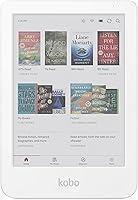
- Kobo Clara BW: Choose it if you want adjustable brightness and color temperature outside the Kindle range, along with optional Dark Mode. Skip it if access to the Kindle Store is central to your reading.
The Kobo Clara BW is the non-Kindle option here, with a 6 in glare-free screen, waterproof protection, and 16 GB storage. To compare reader types before choosing a brand, see which e-reader should I buy?.
Which Kindle warm light features should you compare?
For Kindle warm light, compare the exact control rather than assuming every front light works the same way. The Paperwhite and Colorsoft specify a white-to-amber adjustment, while the Signature Edition specifies automatic front-light adjustment.
Then consider how you read. A larger screen, color display, storage, waterproofing, and charging features can matter more to your routine than a specific screen tone.
If you are deciding between the two Paperwhite models, the Signature Edition comparison lays out their differences.
How do you set up warm light for reading?
Set up warm light by adjusting the display until the page looks clear and comfortable in your current room. Start with the light controls on your Kindle, make a small tone change, then adjust brightness separately.
There is no need to begin at the warmest setting. A gradual shift makes it easier to tell whether you prefer a slight amber tint or a stronger one.
Revisit the controls when you move from daylight to a dim room, since the surrounding light changes how the screen looks.
If your Kindle model has a schedule or automatic control, use it only if that option appears in its settings. The Signature Edition's listed feature is an auto-adjusting front light; do not assume that means automatic color-temperature adjustment.
What mistakes should you avoid with warm light?
The most common mistake is treating warm light as a fix for every reading discomfort. It changes screen tone, so also check brightness, room lighting, and text size if the page feels difficult to read.
Another mistake is buying by model name alone. Confirm that the particular reader offers the control you want: the Signature Edition feature described here is automatic front-light adjustment, while the Paperwhite and Colorsoft specifically adjust from white to amber.
Do not assume Dark Mode and warm light do the same thing. Colorsoft has both options, but each changes a different part of the display.
Try them separately before deciding which appearance you want to use.
Finally, do not leave the screen at one setting out of habit. A tone that looks good in a bright room may feel too strong at night, and a dim setting may be hard to read in daylight.
Which Kindle warm light option should you choose?
Choose the Kindle Paperwhite 16GB if you want a straightforward Kindle with confirmed white-to-amber adjustment, a glare-free 7 in display, and waterproofing. Choose the Colorsoft if color covers and highlights matter, or the Signature Edition if you want automatic front-light adjustment, wireless charging, and 32 GB storage.
Choose the Kobo Clara BW if adjustable color temperature is the priority and you are open to a reader outside Kindle. If you are still weighing reader types, start with Ereaders Explained: Types, Screens and What to Buy.
Frequently asked questions
What does warm light do on a Kindle?
Warm light shifts the display tone from white toward amber. You can choose a warmer-looking page and adjust it to suit your preference and the room.
It changes how the screen looks.
It does not guarantee a specific effect on sleep or eye health.
Which Kindle models have warm light?
The Kindle Paperwhite 16GB and Kindle Colorsoft 16GB can adjust the display from white to amber. The Paperwhite Signature Edition 32GB has an auto-adjusting front light, but its features do not specify color-temperature adjustment.
Is Kindle warm light the same as Dark Mode?
No. Warm light shifts the display from white toward amber, while Dark Mode changes the background to black and text to white on the Kindle Colorsoft.
They change different parts of the screen, so choose the view you prefer.
Does the Kobo Clara BW have warm light?
The Kobo Clara BW has ComfortLight PRO, which lets you adjust brightness and color temperature, plus an optional Dark Mode. These controls offer similar adjustments, though their name and menus differ from Kindle's.