Kobo Libra Colour vs Boox Go Color 7 Gen 2: Which Is Better? (November 2026)
Pick the Kobo Libra Colour if you mostly read and want a simple color e-reader; pick the Boox Go Color 7 Gen 2 if you want Android apps and more open note taking. In this Kobo Libra Colour vs Boox Go Color 7 Gen 2 comparison, your reading habits decide the winner.
On this page (6 sections)
Pick the Kobo Libra Colour if you mostly read and want a simple color e-reader; pick the Boox Go Color 7 Gen 2 if you want Android apps and more open note taking. That is the short answer to the Kobo Libra Colour vs Boox Go Color 7 Gen 2 question, and your reading habits decide the winner.
Both are 7-inch color E Ink devices, so the choice is less about the screen and more about the system behind it. Kobo keeps you inside its bookstore and library tools.
Boox hands you an Android tablet that happens to read books.
This comparison walks through the differences that actually change daily use: the reading system, note taking, apps, battery habits and the buyer each one suits. If you want the deep dive on the Kobo side, our Kobo Libra Colour review covers it in full.
 Best for color Kindle readers
Like-New Amazon Kindle Colorsoft Signature Edition 32GB

How do the Kobo Libra Colour and Boox Go Color 7 Gen 2 differ?
The Libra Colour is a closed color e-reader built for Kobo's bookstore; the Go Color 7 Gen 2 is an open Android device built for apps. That single difference shapes everything else in this comparison.
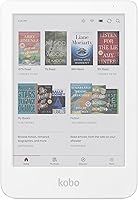
The Kobo Libra Colour pairs a 7-inch color E Ink screen with Kobo's own reading software and store. You buy books from Kobo, borrow through library support and keep your library in one place.
The color layer sits under the text, so covers and illustrations show tint while the words stay sharp against the page.
The Boox Go Color 7 Gen 2 runs Android and lets you install reading apps from other stores. You can carry several book sources on one device, but you also manage updates and settings yourself.
Because it is Android, the home screen is a launcher you arrange rather than a store shelf someone else arranges for you.
Both give you color covers and color highlights on an E Ink panel. Neither is a bright LCD tablet, so expect muted color rather than phone-style saturation.
That muted look is the point: color E Ink trades vividness for a paper-like surface that stays readable for hours without the glare of a lit screen.
The color layer also costs a little contrast compared with a pure black and white panel. On both devices, black text looks slightly softer than on a monochrome reader.
Most readers stop noticing within a few pages, but it is the reason color E Ink still trails plain E Ink for long text sessions.
Kobo Libra Colour vs Boox Go Color 7 Gen 2 specs at a glance
| Feature | Kobo Libra Colour | Boox Go Color 7 Gen 2 |
|---|---|---|
| Screen | 7-inch color E Ink | 7-inch color E Ink |
| System | Kobo's own reading software | Android |
| Main strength | Simple color reading | Apps and open note taking |
| Best buyer | Readers inside Kobo's store | Readers who mix book sources |
| Stylus support | Yes, Kobo stylus | Yes, compatible stylus |
| Learning curve | Low | Moderate |
The table shows the split clearly. Neither device wins on screen size or color quality alone.
The winner depends on whether you want a single reading home or a flexible app device. Every row after the screen flows from that one system choice, which is why the spec sheet matters less than the software running on it.
Which one is the better color e-reader for most people?
The Kobo Libra Colour is the better color e-reader for most people because it does one job well without asking you to manage a system. Most readers want to open a book, not configure an Android tablet.
Kobo's software keeps the bookstore, your library and your highlights in one place. The color screen adds tinted covers and colored highlights without turning reading into a tablet experience.
Highlight colors do real work here: you can mark passages in a few different shades and tell at a glance what each one meant to you.
The 7-inch size fits comfortably in two hands. Color E Ink stays readable in bright light, which matters for anyone who reads near a window or outdoors.
There is no backlight glare fighting the sun, just a front-lit page that looks close to paper.
If reading is 90 percent of what you do, the Libra Colour removes friction. You set up an account, buy or borrow books and read.
There is no app store to browse and no update prompts to manage. The device opens where you left off, and the settings you touch once stay set.
Kobo's store and library support also keep your purchases and loans in the same interface. You are not bouncing between an app for bought books and a separate app for borrowed ones.
For a reader who finishes a book most weeks, that small consistency adds up over a year.
Where the Libra Colour falls short
The closed system is also its limit. You can only read what Kobo's store and supported library services offer.
If your library lives in another ecosystem, the Libra Colour won't reach it. There is no side-loading an app to fix that gap.
Stylus support exists, but the Libra Colour is a reader first. Note taking is a bonus feature rather than the main event.
Readers who want a serious writing tool should look elsewhere. The pen is for marking a page, not for replacing a notebook.
Our comparison of the Kobo Clara Colour vs Libra Colour helps if you are still deciding on size within the Kobo lineup. The Clara is the smaller, more pocketable option.
When does the Boox Go Color 7 Gen 2 win?
The Boox Go Color 7 Gen 2 wins when you read across several book sources or want Android apps on a color E Ink screen. It is the pick for readers who refuse to be locked into one store.
Android means you can install reading apps from different sellers and keep them all on one device. That flexibility is the reason many people choose Boox over a closed e-reader.
One device holds the store you buy from, the app you borrow from and the reader you use for free public domain titles.
The same system supports note-taking apps and stylus input. You can mark up documents, take notes and read in color without carrying a second tablet.
Because it is Android, the apps you already use on your phone have a decent chance of working here too.
The trade-off is setup and upkeep. Android devices ask more of you: app updates, account logins and the occasional settings change.
That is fine for a tinkerer and annoying for someone who just wants to read. Expect the first hour to be spent signing in and arranging apps, not reading.
Who should avoid the Boox Go Color 7 Gen 2?
Skip the Boox if you want a device that works out of the box with no decisions. The Libra Colour is the calmer choice for a first color e-reader.
Skip it too if you mostly buy from one bookstore that already has a dedicated e-reader. The extra flexibility costs you setup time you may never use.
If every book you own comes from one store and that store has its own reader, an Android device adds options you will not open.
If you are weighing Boox against Amazon's small reader, our Boox Palma vs Kindle comparison covers that matchup. The Palma is the pocket-sized Boox option.
Which is better for note taking?
The Boox Go Color 7 Gen 2 is the better note-taking device of the two, but neither replaces a large writing tablet. Note taking on a 7-inch screen is cramped compared with a 10-inch class device.
The Boox system supports stylus input and note apps, so you can sketch, annotate and keep notes next to your books. That makes it the more useful option if you mark up documents regularly.
You can keep a notebook app and a reading app side by side and move between them without switching hardware.
The Kobo Libra Colour supports a Kobo stylus for notes and highlights. It is handy for marking passages and jotting short thoughts, but the reading experience comes first.
Treat the pen as a highlighter with extra reach rather than a full writing tool.
If writing is your main job, a dedicated writing tablet serves you better. Our reMarkable vs Boox comparison explains the difference between a pure writing device and an Android tablet like the Boox.
The short version: a dedicated writer does one job with fewer distractions, while an Android tablet gives you more jobs and more ways to get pulled away from the page.
A 7-inch screen is a reading size, not a writing size
Both devices use a 7-inch color panel. That is comfortable for a page of text and tight for a full page of handwriting.
A 7-inch screen shows roughly a paperback page at a comfortable font size, which leaves little room for a margin full of notes.
If you plan to take pages of notes, look at a 10-inch device instead. The extra area changes how much you can write without scrolling or zooming.
A 10.2-inch screen like the one on Amazon's Kindle Scribe gives you a writing surface closer to a small paper notebook, and the included Premium Pen means you start writing without buying a pen separately.
The Boox remains the stronger of these two for notes because its software is built to handle stylus input and documents. Just don't expect laptop-style note taking from a 7-inch screen.
For short annotations and quick sketches it is fine. For pages of meeting notes, it is the wrong shape.
Which fits your bookstore and library?
The Kobo Libra Colour fits readers who buy from Kobo or borrow through its supported library services; the Boox Go Color 7 Gen 2 fits readers who shop across several stores. Your existing library is often the deciding factor.
If your purchases already sit in Kobo's store, the Libra Colour keeps everything in one place. Library borrowing works through Kobo's supported services, so check that your library is covered before you commit.
A library card that works with one system may not work with another, and that check is worth five minutes before you buy.
If your books are spread across different stores, the Boox lets you bring those apps together. You manage several accounts, but you stop switching devices to reach your books.
The device becomes the reading hub rather than a window into one shop.
Neither device is the right home for a Kindle library. Amazon's own color reader is the natural fit there.
For readers outside Amazon, this Kobo and Boox comparison is the one that matters. If your library is already in Amazon's store, look at the Kindle Colorsoft Signature Edition instead.
It pairs a 7-inch color display with an auto-adjusting front light, a waterproof body and up to 8 weeks of battery per charge, and its wireless charging dock is sold separately. That is the simplest color path for anyone who already buys from Amazon.
Color features that matter day to day
Color E Ink is not only about covers. On both devices you can highlight passages in different colors and see book illustrations in tint.
Color also helps with comics and graphic novels, where color carries meaning rather than decoration.
For plain text novels, color matters less than the contrast of the page. A reader who mostly reads fiction gets little from a color panel except nicer covers and tinted highlights.
A reader who mixes in comics, cookbooks or illustrated nonfiction gets real value from it.
That is another reason the decision comes down to the system. The color layer is similar on both devices.
What you can do with color depends on the software and the store behind it.
Which color e-reader should you buy?
Buy the Kobo Libra Colour for straightforward color reading; buy the Boox Go Color 7 Gen 2 if you want Android apps and open note taking. In this Kobo Libra Colour vs Boox Go Color 7 Gen 2 matchup, the Libra Colour is the overall winner for most readers.
The Libra Colour wins on simplicity. It gives you a 7-inch color E Ink screen and Kobo's reading system without asking you to manage an Android device.
For someone who reads most days, that is the easier daily tool. You charge it, open it and read.
The Go Color 7 Gen 2 wins on flexibility. Android support and stylus-friendly software make it the pick for readers who mix book sources or want one device for reading and light notes.
If your books live in more than one store, that flexibility is worth the setup time.
If neither feels right, a 10-inch writing tablet or a dedicated color Kindle may fit you better. A 10-inch writing tablet like the Kindle Scribe gives you a 10.2-inch 300 ppi display and an included Premium Pen for readers who want notes and books in one place.
Its Active Canvas lets you write on a book's page and make room for your notes in the margin. Our Kobo Libra Colour review and the reMarkable vs Boox comparison cover those paths.
Frequently asked questions
Can the Boox Go Color 7 Gen 2 run Android reading apps?
Yes. The Boox Go Color 7 Gen 2 runs Android, so you can install reading apps from other stores.
The Kobo Libra Colour stays inside Kobo's own bookstore and library system.
Do both color e-readers need a separate stylus?
The Kobo Libra Colour supports Kobo's stylus for notes and highlights, and the Boox Go Color 7 Gen 2 works with a compatible stylus. Check what comes in the box before you order, since pen bundles vary by model.
Which color e-reader is easier for a first-time buyer?
The Kobo Libra Colour is the simpler pick for most first-time buyers because it is a closed reading system with fewer setup choices. The Boox Go Color 7 Gen 2 asks more of you but gives you more control.