Boox Palma vs Kindle: Which to Buy? (November 2026)
Pick the Kindle Scribe Colorsoft if you want a large color screen for notes and reading; pick a Paperwhite if you want a simple, light reader. The boox palma vs kindle question really asks whether you want a phone-shaped Android device or a dedicated reader.
On this page (9 sections)
- Boox Palma vs Kindle: which one should you buy?
- The two side by side: screen, pen and storage
- Screen size and comfort: pocket device vs 7-inch reader
- Writing and notes: pen support makes the difference
- Apps and ecosystem: Android freedom vs Amazon simplicity
- Battery, weight and travel: which is easier to carry?
- Storage: 16GB, 32GB or 64GB
- Which Kindle fits your reading style?
- Verdict: the best pick for most readers
Pick the Kindle Scribe Colorsoft if you want a large color screen for notes and reading; pick a Paperwhite if you want a simple, light reader. The boox palma vs kindle question really asks whether you want a phone-shaped Android device or a dedicated reader.
The Scribe Colorsoft is the top pick here for people who read and write. The Paperwhite models are the easier choice for plain reading.
Here is how the differences play out.

 Best for readers who want wireless charging
Amazon Kindle Paperwhite Signature Edition 32GB
Boox Palma vs Kindle: which one should you buy?
For most readers, a Kindle is the better buy. It's built only for reading, stays light and lasts weeks on a charge.
The Boox Palma appeals if you want Android apps on an E Ink screen in a pocket-sized shape. That split is the whole decision.
Kindle models are locked into Amazon's store and its simple interface. A Boox device runs Android, so you can install reading apps and other tools.
The catch is that a general Android device asks more of you. You manage apps, updates and settings.
A Kindle asks almost nothing: you open a book and read.
It also helps to name what the Kindle models here actually are, because "Kindle" covers three different machines. There is a 16GB Paperwhite for plain reading, a 32GB Signature Edition with an auto light and wireless charging, and the 11-inch Scribe Colorsoft with a pen.
The Palma's nearest rival in spirit is none of these. It is closer to a small Android tablet in a reader's body.
If you want the bigger picture on how Boox tablets compare with a dedicated brand, our reMarkable vs Boox comparison covers the trade-offs in more depth. For a deeper look at Amazon's pen device, read our Kindle Scribe review.
The two side by side: screen, pen and storage
The Kindle models here split into a 7-inch reader and an 11-inch color pen device. The Scribe Colorsoft is the only one here with a pen and a color display.
Both Paperwhites are for reading only.
Here is how the three compare on the facts we have:
| Feature | Kindle Scribe Colorsoft 64GB | Paperwhite Signature Edition 32GB | Paperwhite 16GB |
|---|---|---|---|
| Screen | 11 in color | 7 in | 7 in |
| Pen | Included | None | None |
| Storage | 64GB | 32GB | 16GB |
| Charging | USB-C | USB-C or wireless | USB-C |
| Weight | 400g | ||
| Waterproof | Yes | Yes |
The Scribe Colorsoft measures 5.4mm thin and weighs 400g. That's light for an 11-inch device, but it's still a two-hand read compared with a 7-inch Paperwhite.
The Paperwhites share the same 7-inch glare-free screen. The Signature Edition adds an auto-adjusting front light and wireless charging.
The 16GB model has a light you adjust by hand.
A 7-inch reader is easy to hold overhead in bed. The Scribe at 400g is fine on a desk or a lap, less so one-handed for an hour.
That physical difference shapes daily use more than any spec sheet.
Screen size and comfort: pocket device vs 7-inch reader
A 7-inch Kindle is the more comfortable read for long sessions. Its screen is small enough to hold one-handed and light enough to carry everywhere.
An 11-inch Scribe gives you more page at once, which helps with documents and notes.
The Paperwhite's screen uses a high contrast ratio and fast page turns. Amazon says the 16GB model turns pages 25% faster than the previous Paperwhite.
Text stays sharp in bright sun or in the dark.
The Signature Edition adds an auto-adjusting front light. It reads the room and adjusts brightness for you, so you don't fiddle with sliders in bed or at the beach.
Both Paperwhites are waterproof, so a splash by the pool isn't a disaster.
The Scribe Colorsoft's 11-inch color screen gives you more room to read, write and think. Color helps with highlighted passages and illustrated books.
Its glare-free surface stays readable in bright sunlight.
If screen comfort is your main worry, the smaller Kindle wins for novels. The Scribe wins when you read PDFs and want to see a full page.
Writing and notes: pen support makes the difference
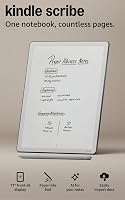
The Kindle Scribe Colorsoft is the only device here with a pen, so it's the pick if you write. The Paperwhites have no pen support at all.
The Scribe's included pen never needs charging. It has a built-in eraser and a shortcut button for tools like the highlighter.
The textured surface gives a pen-on-paper feel.
What the notebook tools actually do
The built-in notebook is the core writing space. Notes you take there can be searched with AI tools, and you can ask questions about what you've written or have summaries generated.
You can also clean up handwriting or convert it to text.
Beyond the notebook, the Scribe works with documents. Import files from Google Drive or Microsoft OneDrive, add handwritten notes and markups, and export as PDFs.
Notebooks can also be sent to Microsoft OneNote to edit elsewhere. And when you read a book from the Kindle Store, you can jot notes right on the page, writing between the lines as text shifts to make room.
The Paperwhites are read-only. That's not a flaw; it's the point.
If you only read, a pen and a notebook would just add weight and cost.
For a closer look at Amazon's writing device on its own, our Kindle Scribe review breaks down the notebook tools. And if a color writing tablet is what you're after, our Boox Air 4C vs reMarkable Paper Pro comparison weighs two color rivals.
Apps and ecosystem: Android freedom vs Amazon simplicity
Kindle keeps you inside Amazon's world; a Boox Palma opens Android apps. That's the biggest lifestyle difference between the two brands.
It decides how much setup and upkeep you accept.
A Kindle has no social media, notifications or other distracting apps. That's a feature, not a limitation.
You open a book and the world goes quiet.
You get over 15 million titles in the Kindle Store worldwide and can add a Kindle+ subscription for millions more stories. The Scribe Colorsoft also supports popular cloud services, so you can import files from Google Drive or Microsoft OneDrive, add handwritten notes and markups, and export them as PDFs.
Notebooks can go to Microsoft OneNote to edit anywhere, which is useful for work documents without printing.
A Boox Palma runs Android, so reading apps from other stores and general tools are part of the deal. You gain flexibility.
You lose the single-purpose calm of a Kindle and take on app updates and settings.
The trade is clear: choose Kindle for a device that only reads, and a Boox for one that does more but asks more of you. The Scribe sits between the two.
It stays inside Amazon's store, but the cloud imports and OneNote export give it a work edge the Paperwhites lack.
Battery, weight and travel: which is easier to carry?
Both Kindle Paperwhites list up to 12 weeks of reading per charge on USB-C, while the Scribe Colorsoft offers weeks of reading and writing on a single charge. The Signature Edition can also charge wirelessly with a dock sold separately.
Twelve weeks is a maker figure for light use. Bright light and heavy page turns will shorten it.
Still, it's the kind of battery life that makes a Kindle easy to toss in a bag and forget about the charger. Long battery also means the Scribe can sit in a backpack for a week of meetings without hunting for an outlet.
Weight and size matter more for travel. The Paperwhite's ultra-thin design and 7-inch screen fit a jacket pocket or a small bag.
The Scribe's 11-inch screen and 400g weight need more room and two hands.
The Scribe's size is the point for notes and documents. It's the wrong shape for reading on a crowded train.
A Paperwhite is the easier travel companion for novels.
Waterproofing tips the travel case toward the Paperwhites. Both handle the pool, the bath or a rainy commute.
Keep the Scribe away from water.
Storage: 16GB, 32GB or 64GB
16GB is plenty for a large library of text books. 32GB adds headroom for audiobooks and big libraries.
64GB on the Scribe suits color pages, documents and notebook use.
Text files take little room. A 16GB Paperwhite holds thousands of novels before storage becomes a worry.
For most readers, storage is not the reason to spend more.
The Signature Edition's 32GB gives you more room without much thought. If you keep audiobooks or a very large library synced, the extra space helps.
The doubling from 16GB is the one upgrade most people will actually notice in daily use.
The Scribe's 64GB fits its role. Color books, imported documents and handwritten notebooks take more space than plain text.
Notebooks and imported PDFs add up quickly, so the headroom matters more here than on a reader.
Pick the storage level for how you'll use the device over a few years, not for the first month.
Which Kindle fits your reading style?
Choose the Paperwhite 16GB for straightforward reading on a budget; choose the Signature Edition for auto light and wireless charging; choose the Scribe for writing and color. Each one suits a clear type of reader.
The 16GB Paperwhite is the simple choice. It reads crisp text, turns pages fast and survives a splash.
You adjust the light yourself, and that's the main thing you give up. It still offers the warm light setting that shifts from white to amber for night reading.
The Signature Edition adds the auto-adjusting front light and wireless charging. That light matters if you read in changing rooms or late at night.
The wireless charging matters if you like a dock by the bed. It also doubles storage to 32GB, which helps if you keep audiobooks or a big library.
The Scribe Colorsoft is for people who read and write. The pen, the color screen and the notebook tools make it a different device.
It's heavier and bigger, and you pay for that in travel comfort. The 64GB storage and cloud imports suit documents as much as novels.
For a straight comparison of the two Paperwhites, our Paperwhite vs Signature Edition guide goes deeper. It helps you decide if the upgrades are worth it for your habits.
Verdict: the best pick for most readers
The Kindle Scribe Colorsoft is the top pick here for people who want to read and write on one large color screen. For plain reading, the Paperwhite Signature Edition is the better fit, and the 16GB Paperwhite is the budget choice.
The boox palma vs kindle decision lands on Kindle for most buyers. That may surprise you, since the Palma's Android freedom is real.
But most readers want a device that opens a book and gets out of the way.
The Kindle models here do that, with weeks of battery life and no distracting apps. Over 15 million titles in the Kindle Store also means you rarely run out of something to read.
Here is the short decision rule. Pick the Scribe Colorsoft if you take notes, mark up documents or read color books.
Pick the Signature Edition if you read a lot and want the light to adjust itself and wireless charging by the bed. Pick the 16GB Paperwhite if you want a great reader for less money.
If Android apps matter more than a dedicated reading device, the Boox Palma is the device to look at. Just go in knowing you'll manage apps and settings.
For everyone else, the Kindle is the simpler, better buy.
Our Paperwhite vs Signature Edition comparison is the next read if you're leaning toward a smaller Kindle. And if you're still weighing brands, the reMarkable vs Boox comparison shows what the Android tablet side offers.
Frequently asked questions
Can a Kindle run Android apps?
No. Kindle devices are purpose-built readers without social media, notifications or other distracting apps.
You read from the Kindle Store and use built-in tools like notebooks on the Scribe.
For a full app store and a general Android experience, you would look at a device like the Boox Palma instead.
Which has better battery life, the Boox Palma or a Kindle?
The two Paperwhite models here list up to 12 weeks of reading per charge on USB-C, while the Scribe offers weeks of reading and writing. Your own use, screen brightness and wireless features affect real battery life on either type of device.
Do I need a pen for reading?
No. A pen only matters if you want to write notes, mark up documents or draw.
The Kindle Scribe Colorsoft includes a pen and a built-in notebook, while the Paperwhite models are for reading only.
If you never write, skip the pen and the extra weight.
Is a color E Ink screen good for reading?
Yes. The Scribe Colorsoft's paper-like color display is easy on the eyes with no distracting flashes when writing.
Color helps with highlights and illustrated books, but a black-and-white Paperwhite reads crisp text with a lighter weight.