E-Reader vs Tablet for Books: Which Is Better? (October 2026)
For e reader vs tablet, choose the Kindle 16GB for focused reading and a stated battery life of up to 6 weeks, or the Boox Go Color 7 Gen II for color, Android apps and more file formats.
On this page (11 sections)
- E-Reader vs Tablet for Books: Which Is Better?
- E-reader vs tablet: what is the main difference?
- Which screen is better for reading books?
- Which device handles more book formats?
- Which device is easier for focused reading?
- Which is easier to carry and control?
- Which reader has better battery life?
- Who should choose an e-reader, and who should skip one?
- How should you set up your new reader?
- What common buying mistakes should you avoid?
- How do you decide between the Kindle 16GB and Boox Go Color 7 Gen II?
E-Reader vs Tablet for Books: Which Is Better?
For e reader vs tablet, choose the Kindle 16GB for focused reading and a stated battery life of up to 6 weeks, or the Boox Go Color 7 Gen II for color, Android apps and more file formats. Both use E Ink, but the Boox also runs Android.
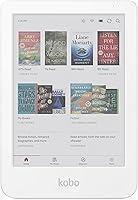
The Kindle is a compact, dedicated reader with a glare-free screen and a distraction-free reading experience. The Boox is an E Ink tablet with color, app support, page-turn buttons and broader file compatibility.
If you are sorting out device types, start with how e-readers differ by screen and design. For a wider shortlist based on your reading habits, see which e-reader you should buy.


E-reader vs tablet: what is the main difference?
The Kindle is designed around reading books, while the Boox combines an E Ink display with Android apps. That affects the ways you can get books, the other tasks you can do and how much setup you'll want to manage.
The Kindle's reading features include adjustable brightness, dark mode and fast page turns. Its 16 GB storage holds thousands of books, and Kindle Unlimited offers access to more than 4 million titles, thousands of audiobooks and other content through a subscription.
The Boox supports many document formats, including EPUB, EPUB3, PDF, AZW3, MOBI and CBZ. Third-party app support gives you more ways to read, but you will need to choose and set up the apps that fit your books and habits.
Is an Android E Ink tablet a regular tablet?
The Boox runs Android, but its E Ink display makes it different from a conventional LCD or LED tablet. Apps add flexibility, while the screen keeps the characteristic look and refresh behavior of E Ink.
The color display can look darker or grayer than LCD and LED screens. Its front light offers warm and cold settings, and refresh modes suit different tasks, from reading static pages to browsing or viewing dynamic content.
For a closer look at the display tradeoff, read E Ink vs LCD for reading. This difference matters if you expect a bright, vivid screen for every kind of app.
Which screen is better for reading books?
Choose the Kindle for a simple glare-free screen, or the Boox if color helps you read comics, illustrated books or documents. Both have front lights, but color E Ink and monochrome reading do not look the same.
The Kindle has a 6 in screen with adjustable brightness and dark mode. Amazon says its front light is 25% brighter at maximum setting than the previous model.
The Boox has a 7 in Kaleido 3 color E Ink screen. Resolution is 300 ppi in black and white and 150 ppi in color, so monochrome text and color pages have different levels of detail.
Color can help with comics, diagrams and illustrated books where hues carry useful information. If you mainly read novels, a monochrome screen may suit your routine just as well.
Does color E Ink look like an LCD tablet?
No, color E Ink does not look like a typical bright LCD or LED screen. BOOX notes that its color display can look darker or grayer than those screens.
Warm and cold front light settings can change the appearance of the page, but they do not turn the display into an LCD. Decide how often you need color before accepting that screen tradeoff.
Which device handles more book formats?
The Boox supports a broader range of named file formats, while the Kindle is the direct fit if you mainly read books in your Kindle library. Check your current library before switching devices.
The Boox supports formats including EPUB, EPUB3, PDF, AZW3, MOBI and CBZ, along with other documents and images. Android 13 and third-party apps give you more options, though your experience will depend on the apps you choose.
The Kindle's features focus on Kindle books and its Kindle Unlimited subscription. Broad compatibility with the file formats named for the Boox is not specified for the Kindle, so check your important files before buying.
If you are comparing Amazon's reading system with other brands, our Kindle alternatives guide covers other reader options. For a common format question, see whether you can read EPUB files on a Kindle.
Which device is easier for focused reading?
The Kindle is the stronger fit if you want to open a book without adding a menu of apps and settings. Amazon describes it as a distraction-free reading experience that helps you tune out messages, emails and social media.
That focused setup suits readers who want a device centered on novels and other books. You can adjust the front light or use dark mode, then return to reading without managing a general-purpose app library.
The Boox gives you more choices, which is helpful when apps or file support matter. If you mostly want a quiet reading routine, those extra choices may add work without improving your day-to-day use.
Which is easier to carry and control?
The Kindle has the smaller screen, while the Boox adds page-turn buttons and a microSD card slot. Think about screen size, hand position and controls rather than assuming one format fits every reader.
The Boox measures 156 x 137 x 6.4 mm and weighs about 195 g. Its 7 in screen gives pages more room, while page-turn buttons let you change pages without tapping the display.
It also has a USB-C port, built-in speaker and microphone, and a microSD card slot. The Kindle's features emphasize compactness and reading, so choose the Boox if those extra controls and connections are useful to you.
The Boox supports an active InkSense stylus, but the stylus is not included and the device does not support EMR styluses. If notes and PDFs are central to your use, see the best E Ink tablets for notes and PDFs.
Which reader has better battery life?
The Kindle has the clearer battery advantage based on the available figures. Amazon states up to 6 weeks per charge; the Boox has a 2,300mAh battery but no stated runtime estimate.
Treat the Kindle figure as an estimate, not a promise for every reading pattern. App use, wireless connections and audio can affect battery use, especially on a device that runs Android.
Choose the Kindle if you want a published runtime estimate and fewer charging decisions. Choose the Boox when color, apps or format support matter more than comparing battery life by a number.
Who should choose an e-reader, and who should skip one?
Choose a dedicated e-reader if books are your main reason for buying a device; skip it if you need a bright general-purpose screen for video, games or varied tablet tasks. The Kindle and Boox serve different versions of the reading-first buyer.
The Kindle fits readers who mostly read novels or Kindle books, want fewer distractions and prefer a compact device with a long stated battery life. It is also a sensible choice if you do not need color or Android apps.
The Boox fits readers who want one E Ink device for books, PDFs, comics, multiple file formats or third-party apps. Its color display and page-turn buttons add options, but you should skip it if you expect color to look as vivid as on an LCD screen or need an included stylus.
If neither device matches your needs, compare other E Ink readers for everyday reading. A monochrome reader may be a better fit for a mostly text-based library.
How should you set up your new reader?
Start by connecting the device to the books and settings you already use, then adjust the screen for your reading environment. A little setup keeps the device useful without adding unnecessary apps or changes.
On the Kindle, sign in to the account that holds your Kindle books, then set front-light brightness for your usual room. Try dark mode if you read in low light, and download books you want available when you are away from Wi-Fi.
On the Boox, confirm that your key reading apps are available and that they can access the books you want. Add files in supported formats, choose a refresh mode suited to the task, and try the warm or cold front light in the room where you read.
For either device, start with a small sample of your library before moving everything. This helps you catch format, app or layout issues while the collection is still easy to organize.
What common buying mistakes should you avoid?
The biggest mistake is choosing by the word “tablet” or by screen color alone. Decide first whether you need book-focused simplicity, app flexibility, or a display suited to color and mixed media.
Do not assume color E Ink will look like a phone or laptop screen. If vivid color is essential for your use, the Boox's darker or grayer appearance may disappoint; if you mostly read novels, color may not be worth prioritizing.
Do not assume every file or reading app will work exactly as it does on your current device. Check the formats and apps tied to your library, and confirm that the Boox stylus you want is sold separately.
Finally, avoid paying for flexibility you will not use. A reader who opens one book app and reads novels may gain more from the Kindle's straightforward design than from Android's wider range of options.
How do you decide between the Kindle 16GB and Boox Go Color 7 Gen II?
Pick the Kindle 16GB for focused book reading, compactness and a stated battery life of up to 6 weeks; pick the Boox Go Color 7 Gen II for color, Android apps, page-turn buttons and broader file support. Let your library and most common reading task make the final call.
The Kindle is the simpler recommendation for novels, Kindle books and readers who want to tune out messages and social media. Its monochrome screen and focused feature set are a good match when extra apps are not part of the plan.
The Boox is the better match for readers who need EPUB, PDF, comics, third-party apps or physical page-turn buttons. Accept its E Ink color limitations, and remember that the active stylus is not included.
For a straightforward e reader vs tablet decision, choose the Kindle when reading is the whole job and the Boox when reading needs apps and color. If you are still weighing screen types, compare E Ink and LCD for reading.
Frequently asked questions
Is an e-reader or tablet better for reading books?
A dedicated e-reader is usually the simpler fit if you mainly read books and want fewer distractions. The Boox Go Color 7 Gen II suits readers who also need color, third-party apps, more file formats or page-turn buttons, though its E Ink screen looks different from an LCD tablet.
Can you read Kindle books on an Android E Ink tablet?
The Boox Go Color 7 Gen II runs Android 13 and supports third-party apps. This can offer a way to use reading apps.
Book access depends on the app and your account.
Check that the app you need is available and works for your library before choosing.
Is color E Ink as bright as a tablet screen?
No. The Boox uses Kaleido 3 color E Ink, which can look darker or grayer than LCD or LED screens.
Its front light has warm and cold settings, but it won't give color pages the same appearance as a conventional tablet display.
Which has longer battery life, Kindle or Boox?
The Kindle 16GB is rated for up to 6 weeks on a charge. The Boox Go Color 7 Gen II has a 2,300mAh battery, but no runtime estimate is available for a direct comparison.
App use, wireless connections and audio can also affect how often you recharge.