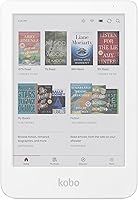
Boox Go Color 7 vs Kobo Libra Colour: Which to Buy? (November 2026)
Pick the Kobo Libra Colour if you mostly read and want pen notes and highlights in Kobo's bookstore. Pick the Boox Go Color 7 if you want an open Android tablet that runs reading and note apps from many stores.
On this page (9 sections)
- The quick verdict on Boox Go Color 7 vs Kobo Libra Colour
- Boox Go Color 7 vs Kobo Libra Colour side by side
- Which device gets you books and apps more easily?
- Which color screen suits comics, covers and long reading?
- Which pen and note-taking setup fits you?
- Which size and case should you choose?
- Who should buy the Kobo Libra Colour?
- Who should buy the Boox Go Color 7?
- Verdict: which color e-reader should you buy?
Pick the Kobo Libra Colour if you mostly read and want pen notes and highlights in Kobo's bookstore. Pick the Boox Go Color 7 if you want an open Android tablet that runs reading and note apps from many stores.
That split decides most of the Boox Go Color 7 vs Kobo Libra Colour question before you look at specs.
Both are 7-inch color E Ink devices aimed at readers who want color covers, comics and highlights without an LCD glare. They differ in what runs on them and how you get books.
This comparison focuses on the parts that change daily use: the store, the apps, pen input and the accessories you'll want. We compared the specs and how each device fits a buyer's habits.
We did not test either one.
The quick verdict on Boox Go Color 7 vs Kobo Libra Colour
The Kobo Libra Colour wins for most readers who buy books from one store. Its closed system keeps the library, notes and highlights in one place, and the Stylus 2 is built for its notebook feature.
The Boox Go Color 7 wins for tinkerers who want Android apps and side-loaded files.
Choose the Kobo when reading is the job and you want fewer settings to manage. The Libra Colour pairs with Kobo's store and its built-in notebook, so a book, a highlight and a note all sit in the same library.
Choose the Boox when the device is a reading and writing hub across stores. Android gives you app choice, which is the main reason people look past Kobo's simpler system.
Boox Go Color 7 vs Kobo Libra Colour side by side
The biggest gap is software and pen support, not the 7-inch color screen. Both devices use color E Ink and are built to read books and PDFs.
The Kobo stays inside its own ecosystem, while the Boox opens up to Android apps.


The table lines up what you'll notice first: screen size, how you get books, pen input and the case situation. Color E Ink on both means muted color rather than the bright color of a phone or tablet.
Neither is a drawing tablet or a fast video screen.
If you've read our Kobo Libra Colour review, you already know the Kobo's screen and store fit. This comparison tests whether the open Android path of the Boox is worth giving that up.
Which device gets you books and apps more easily?
The Kobo wins if you buy from Kobo's store; the Boox wins if you read across several stores and apps. This is the point that decides the choice for most people.
The Libra Colour is tied to Kobo's bookstore. You browse and buy on the device or in the app, and your library, progress and highlights sync through your Kobo account.
There's no app store to set up and no second account to remember.
The Boox Go Color 7 runs Android. You install the reading apps you already use, so Kindle, Kobo and library apps can sit on the same home screen.
That flexibility costs setup time and means keeping several accounts in sync.
When the Kobo's closed store is the better fit
Pick the Kobo when your books already live in Kobo's store or you like the idea of one library and one account. Borrowing from a public library through Kobo's built-in library support keeps the same flow.
The trade-off is store lock-in. Books bought elsewhere need conversion or a different device.
If you read mostly Kobo purchases and library loans, that's a small price for the simpler system.
When the Boox's open apps win
Pick the Boox when your books are spread across stores and you want one screen for all of them. It also suits readers who side-load PDFs and want third-party reading apps tuned to their taste.
The cost is maintenance. Android apps update, accounts drift out of sync and the settings menus are deeper.
If you enjoy that control, the Boox earns its place. If not, it's friction every week.
Which color screen suits comics, covers and long reading?
Both color screens suit long reading and make covers and comics more interesting, but neither gives bright color. The Kobo's screen is tuned for reading in its own store and notebook, while the Boox lets each reading app adjust its own display.
Color E Ink adds a muted color layer over black text. Black text stays crisp, and color images look soft and pastel rather than vivid.
That's fine for covers, maps and comics; it's not a replacement for a tablet for photo editing or video.
The Libra Colour is designed for readers who stay in Kobo's app, so the color handling is consistent from page to page. The Boox depends on the app you open.
A well-set reading app looks good; a poorly set one looks washed out.
Reading in daylight and at night
Neither screen lights itself like an LCD. You need a front light in dim rooms, and both devices provide one.
In daylight, color E Ink looks best and the color layer is easiest to see.
For long reading sessions, black-and-white text matters more than color. Both devices render text sharply.
The Kobo's single reading app keeps typography and margins consistent. The Boox asks you to set those per app.
Which pen and note-taking setup fits you?
The Kobo's pen story is simpler because the Stylus 2 is made for the Libra Colour. The Boox works with active pens too, but pen support depends on the app you use for notes.
The Kobo Stylus 2 marks up eBooks and PDFs and writes in the Libra Colour's built-in notebook. It has a redesigned tip, a highlighter button and an eraser on the back.
It charges over USB-C and ships with two replacement tips.
On the Libra Colour, notes and highlights appear in color. That makes the notebook useful for color-coding subjects or marking up a document with several colors.
The Boox Go Color 7 accepts pen input in supported apps. The catch is consistency: handwriting feel and palm rejection vary by app.
If note taking is a big part of your day, the Kobo's one-app approach is easier to trust.
What the Kobo Stylus 2 adds to the Libra Colour
The Stylus 2 turns the Libra Colour into a simple note device. You can mark up a book, write in the notebook and erase mistakes without leaving the page.
The pen weighs 13.8 g and is white. It's rechargeable over USB-C and includes spare tips, so tip wear isn't a dead end.
It works with the Libra Colour and the Kobo Sage, not with other brands.
Where the Boox pen experience differs
The Boox gives you more note apps, which is good if you already use one. It also means you can't count on the same pen behavior across all of them.
If you want one pen and one notebook, the Kobo is the safer pick. If you want a specific Android note app, check that it supports your pen before buying the Boox.
Which size and case should you choose?
Both have a 7-inch screen, so the real difference is the case and how you protect the device. A 7-inch color reader is light enough to hold for long sessions and small enough for a bag.
The Kobo Libra Colour pairs with a clear case made for its 7-inch body. The Kobo Libra Colour Clear Case is a scratch-resistant clear shell with precise cutouts for ports and buttons.
It's 51 g and comes in several colors, including Black, Butter Yellow, Dusk Blue and Sand Beige Notebook.
The clear shell keeps the color back visible, which matters on a color reader. The anti-slip finish helps when you read one-handed.
The fit is snug, so the case stays put.
If you're weighing the Kobo's size against its bigger sibling, our Kobo Clara Colour vs Libra Colour comparison covers the 6-inch and 7-inch split. The 7-inch screen here gives comics and PDFs more room.
Size in the hand and in a bag
A 7-inch reader fits most jacket pockets and small bags. The Kobo's case adds only 51 g and a little bulk.
The Boox's footprint depends on the case you buy for it.
If you read on a commute or in bed, weight and grip matter more than a slightly larger screen. A clear case with an anti-slip finish helps here.
For the Boox, look for a slim case from its own accessory range.
Accessories to budget for
The Kobo needs the Stylus 2 if you want pen notes, and a case if you want protection. Budget for both at once, since the pen is separate from the reader.
The Boox may need a pen and a case too, depending on what comes in the box and what you already own. Factor those extras into the total cost before you compare the two base prices.
Who should buy the Kobo Libra Colour?
Buy the Kobo if you read Kobo books, borrow library titles and want pen notes without app fuss. The Libra Colour is the calmer choice for a reader who wants the device to get out of the way.
The Stylus 2 fits the built-in notebook, so a note taken while reading stays with the book. Color highlights make marked-up pages easier to scan.
The clear case protects the reader and keeps its color visible.
Skip the Kobo if your library is spread across several stores and you refuse to convert files. The closed store is a feature for some readers and a wall for others.
If you fall in the second group, the Boox is the better match.
Who should buy the Boox Go Color 7?
Buy the Boox if you want an Android reading tablet that runs apps from many stores and accepts your own files. It's for the reader who treats the device as a hub, not a single-store e-reader.
The open system is the reason to choose it. You can install the reading and note apps you already use, and you aren't tied to one bookstore.
That matters if your purchases live in different places.
Skip the Boox if you want one account, one library and no app maintenance. The extra flexibility is real, but so is the setup time.
A reader who just wants to open a book and read will find the Kobo simpler.
If you're also considering a larger note tablet, our reMarkable vs Boox comparison covers how the open Android approach plays out on bigger screens. It helps if you're unsure whether a 7-inch device is enough for your notes.
Verdict: which color e-reader should you buy?
The Kobo Libra Colour is the better buy for most people, because it keeps reading, notes and highlights in one place. The Boox Go Color 7 is the better buy for readers who need Android apps and files from many stores.
That's the short answer to the Boox Go Color 7 vs Kobo Libra Colour choice.
Choose the Kobo if you buy from Kobo's store, borrow library books and want a pen that works with the built-in notebook. Add the Stylus 2 and the clear case and you have a complete reading and note setup.
Choose the Boox if app freedom is the point and you're happy to manage accounts and settings. It rewards readers who want one screen for everything and don't mind the extra upkeep.
If the 7-inch size is the only thing holding you back, read our Kobo Libra Colour vs Boox Go Color 7 Gen 2 comparison to see how the newer Boox changes the picture. Our score weighs specs, features and how each device fits what you're shopping for.
Frequently asked questions
Can the Boox Go Color 7 read Kindle books?
Yes, in principle. The Boox runs Android, so you can install reading apps from different stores, including Kindle.
The Kobo stays inside Kobo's own store and library, which is simpler but less flexible across stores.
Which color screen is better for reading in daylight?
Both use a color E Ink panel, which needs front light in dim rooms and looks best in daylight. Color E Ink layers over black text, so black-and-white reading stays crisp while color comics and covers look muted compared with an LCD.
Is the Kobo Libra Colour waterproof?
Kobo advertises water resistance for the Libra Colour, so it tolerates splashes and reading near water. The Boox Go Color 7 is best treated as a dry-use device.
Confirm the exact rating for the model you buy before taking either near a pool or bath.
Do I need the Kobo case if I buy the Libra Colour?
You don't need it to read, but the clear case adds scratch protection and an anti-slip grip while keeping the color back visible. It weighs 51 g and comes in several colors, so it's a low-cost way to protect a 7-inch reader.