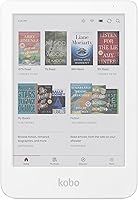
Kobo Libra Colour vs Kindle Colorsoft: Which Is Better? (November 2026)
The Kindle Colorsoft wins for most readers because its 7-inch color screen and 8-week battery suit plain reading. Pick the Kobo Libra Colour instead if you want to write on the page with a stylus or borrow from a public library.
On this page (8 sections)
- Which color ereader is the better buy?
- How do the screens and sizes compare?
- Can you write on either color ereader?
- Which store and library setup fits you?
- How does battery life compare?
- Can you read by the pool or in the bath?
- How do Kobo's color ereaders compare with each other?
- Verdict: which should you buy?
The Kindle Colorsoft wins for most readers because its 7-inch color screen and waterproof body suit everyday reading. Pick the Kobo Libra Colour if you want to mark up pages with a stylus or borrow library books more easily.
This Kobo Libra Colour vs Kindle Colorsoft comparison weighs the two color ereaders on screen size, pen support, store access, battery life and the little habits that decide which one you reach for each night.
Both bring book covers and highlights to life in color. The bigger gap is how each one expects you to buy, borrow and annotate books.

 Best for travel protection
Amazon Kindle Paperwhite and Kindle Colorsoft Case
Which color ereader is the better buy?
The Kindle Colorsoft is the better buy for most people who read and little else. Its 7-inch screen gives you more page than the Kobo's smaller panel, and its waterproof build means fewer worries at the pool or in the bath.
The Kobo Libra Colour is the better buy when your reading involves a pen or a library card. It supports stylus input for notes in the margins, and Kobo's library lending is more direct.
Our scores reflect that split: the Kindle Colorsoft earns 8.5 and the Kobo Libra Colour earns 8.2. The gap is small because both are good color ereaders with different priorities.
If you mostly read bought books in bed, the Kindle's larger screen and simpler setup win. If you annotate as you read or lean on public libraries, the Kobo earns its keep.
Who is the Kobo Libra Colour for?
The Kobo Libra Colour suits readers who want to write on the page. You can underline passages and add margin notes with a compatible stylus, which turns a reading session into a study session.
It also fits heavy library users. Kobo works with OverDrive lending in supported regions, so you can borrow a book and start reading without leaving the device.
Skip it if you buy most of your books from Amazon. Our guide on whether you can read Kindle books on Kobo explains the workaround and why most readers keep a Kindle instead.
Who is the Kindle Colorsoft for?
The Kindle Colorsoft suits the reader who wants a color screen for covers and highlighted passages without extra steps. Its 7-inch display is the largest color E Ink panel in this comparison.
The waterproof body matters if you read near water. Take it by the pool or into the bath without the usual panic about splashes.
It also fits anyone already inside Amazon's ecosystem. Books bought from the Kindle Store land on the device with no conversion, and color highlights in four shades make saved passages easy to spot.
How do the screens and sizes compare?
The Kindle Colorsoft gives you a 7-inch color display, while the Kobo Libra Colour uses a smaller 7-inch-class panel with a page-turn button layout. Screen size decides how much text fits before you tap.
A 7-inch screen reads closer to a paperback page. Fine print in footnotes and dense nonfiction is easier when the panel is larger.
Color E Ink works best in good light. Both devices layer a color filter over a black and white panel, so text looks slightly softer than on a plain Kindle Paperwhite.
The Kindle's larger display gives it an edge for comics, cookbooks and anything with charts. The Kobo counters with hardware page buttons for readers who dislike tapping the screen.
Our Kobo Libra Colour review digs into how its color screen feels for long sessions. If size is your main worry, the Kobo Clara Colour vs Libra Colour comparison lines up Kobo's two color models.
Color for covers and highlights
Both devices show book covers in color on the home screen. Color also shows in highlighted text and in illustrated books.
The Kindle Colorsoft lets you highlight in yellow, orange, blue and pink. That makes it easy to color-code passages by theme or by class.
Kobo's color handling covers the same ground for highlights and notes. The difference is how the device presents those marks, not whether color exists.
Can you write on either color ereader?
Only the Kobo Libra Colour accepts pen input among these two. The Kindle Colorsoft has no pen support at all, so it is a reading-only device.
If you want handwriting on a Kindle, you need a Scribe. The Kindle Scribe Colorsoft 64GB pairs an 11-inch color display with an included pen that never needs charging.
The pen-on-paper feel comes from a textured surface and a responsive display. You can write in the built-in notebook, mark up documents and jot notes in the margins of books.
For straight reading in color, the Kindle Colorsoft's lack of a pen is not a loss. Most readers never touch a stylus.
If you annotate heavily, the Kobo Libra Colour or a Scribe makes more sense than a pen-free Colorsoft. Think about how you mark up a book before you choose.
What the Scribe offers that the color ereaders do not
The Scribe models bring an 11-inch display and a pen into the mix. You get a large canvas for notes plus the option to read and mark up books.
The Scribe Colorsoft adds color to the writing surface. The standard Scribe keeps to black and white, which suits readers who only need text and sketches.
Neither Scribe replaces a small ereader for bedtime reading. They are large and heavy compared with a 7-inch device, so many people pair a Scribe with a smaller reader.
Which store and library setup fits you?
The Kindle Colorsoft ties you to Amazon's store, while the Kobo Libra Colour opens library lending and other ebook stores. Your buying habits decide which one is less friction.
Amazon's store holds over 15 million titles according to Amazon. A Kindle Unlimited subscription adds all-you-can-read access to a catalog that includes best sellers.
Kobo sells books through its own store and supports public library lending through OverDrive in supported regions. That matters if you borrow more than you buy.
Library loans on each device
Library users often borrow through Libby in the US. Kindle readers can send loans to the device, but the path runs through an Amazon account.
Kobo's integration with OverDrive makes borrowing feel native. You browse the library catalog, borrow a title and read it on the device.
Check that your local library supports the service before you count on it. Library access varies by region and by the agreements your library holds.
Side-loading and file formats
Both devices accept files you own. EPUB support is native on Kobo, while Kindle prefers its own formats.
Readers with a large EPUB library often lean toward Kobo. Amazon's store still wins on sheer title count for bought books.
How does battery life compare?
The Kindle Colorsoft's single charge lasts up to 8 weeks, which beats most readers' needs between charges. Kobo's Libra Colour runs for weeks as well, so battery rarely decides this choice.
Amazon states up to 8 weeks for the Colorsoft. That figure assumes light use and Wi-Fi off, as battery claims usually do.
Color screens and front lights draw more power than black and white panels. If you read for hours each night at high brightness, expect fewer weeks than the headline number.
Either device will outlast a tablet by a wide margin. Charge both before a long trip rather than trusting the quoted figure.
Front light and dark mode
The Colorsoft adjusts from white to amber light so you can read in bright sun or in the dark. Dark Mode flips backgrounds to black with white text.
That matters for night readers who dislike a bright page. Kobo's Libra Colour also offers adjustable warmth and a dark mode.
Both handle low light well. Pick the one whose screen size and store suit you, and treat lighting as a tie.
Can you read by the pool or in the bath?
The Kindle Colorsoft is waterproof, so splashes near water are not a problem. The Kobo Libra Colour is not sold as a waterproof device.
If you read in the bath or beside a pool, this one feature can settle the choice. A splash on a non-waterproof ereader is an expensive mistake.
Protection still helps. The Amazon Kindle Paperwhite and Kindle Colorsoft Case fits the Colorsoft and uses a water-safe recycled fabric cover.
The cover opens and closes like a book to wake or sleep the screen. Its magnetic attachment keeps it closed in a bag, and three color choices let you match your taste.
Case and carry notes
The cover fits the Kindle Colorsoft and the 2024 Paperwhite models. It does not fit the Kobo Libra Colour.
If you choose the Kobo, look for a case made for that model. A loose cover that blocks the page buttons defeats the point of the hardware.
Both ereaders are light enough to hold for hours. A cover adds a little weight but protects the screen in a bag.
How do Kobo's color ereaders compare with each other?
Kobo's two color models differ mainly in size and buttons, not in color quality. The Libra Colour has a larger screen and page-turn buttons; the Clara Colour is smaller and button-free.
Readers who want a compact device for one-handed reading often prefer the smaller Clara. Those who like physical page buttons and a bigger page lean toward the Libra.
Our Kobo Clara Colour vs Libra Colour comparison covers the size and button differences in detail. It helps if you have already decided on Kobo and are picking between its models.
If you are weighing a Kobo against a black and white Kindle, the Kobo Clara BW vs Kindle Paperwhite comparison shows what you gain and lose by dropping color.
Color or black and white?
Color costs more and softens text slightly. It pays off for comics, cookbooks, travel guides and highlighted passages you want to see in color.
If you read mostly novels in plain text, a black and white ereader gives sharper text for less money. Color is a nice extra, not a necessity.
Verdict: which should you buy?
Buy the Kindle Colorsoft if you mainly read and want a bigger color screen that shrugs off splashes. It is the easier pick for most people, and its 8-week battery means fewer charging breaks.
Buy the Kobo Libra Colour if a stylus or library loans matter more than screen size. It rewards readers who annotate and borrow, and its page buttons suit one-handed reading.
The Kobo Libra Colour vs Kindle Colorsoft decision really comes down to two questions. Do you write on the page?
Do you borrow more than you buy? A yes to either points to Kobo; a no to both points to the Kindle.
If you want color and handwriting on one large screen, look at a Scribe instead. The Kindle Scribe Colorsoft 64GB gives you an 11-inch color display and a pen that never needs charging.
For most readers, though, the Kindle Colorsoft is the color ereader to buy. It keeps reading simple and takes a splash without drama.
Frequently asked questions
Can the Kobo Libra Colour read Kindle books?
No, it cannot open Kindle Store purchases directly. You can read Kindle books on a Kobo only by stripping DRM from files you own, which may break the store's terms, so most people keep a Kindle for Kindle purchases.
Does the Kindle Colorsoft come with a pen?
No, the Kindle Colorsoft does not include or support a pen. For handwriting you need a Kindle Scribe model, which ships with a pen that never needs charging.
Is a color ereader screen as sharp as a black and white one?
Color E Ink layers a filter over the black and white panel, so fine text looks a little softer than on a plain Paperwhite. Both the Libra Colour and the Colorsoft still read well in bright light without glare.
Which color ereader is better for library loans?
The Kobo Libra Colour has the easier path because it works with public library lending through OverDrive in supported regions. Kindle readers in the US can borrow through Libby too, but the setup leans on an Amazon account.
Do both ereaders work in the bath?
The Kindle Colorsoft is waterproof, so splashes by the pool or in the bath are not a worry. Kobo's Libra Colour is not sold as a waterproof device, so keep it away from standing water.