Boox Note Air 6C vs Kindle Scribe: Which to Buy? (November 2026)
Buy the Kindle Scribe for a calm pen-on-paper writing and reading device; choose the Boox Note Air6 C for a color screen and Android apps. The Boox Note Air 6C vs Kindle Scribe choice comes down to color and flexibility against simplicity and reading comfort.
On this page (9 sections)
- Boox Note Air 6C vs Kindle Scribe: the quick verdict
- The two side by side
- Screen: color vs a bigger black-and-white page
- Pen and writing feel
- Software: focused notebooks vs Android apps
- Storage, speed and battery
- Reading and buying books
- Who should buy which
- Verdict: the Scribe wins overall, the Boox wins on color
Buy the Kindle Scribe for a calm pen-on-paper writing and reading device; choose the Boox Note Air6 C for a color screen and Android apps. In this Boox Note Air 6C vs Kindle Scribe comparison, the Scribe wins overall on its higher score, while the Note Air6 C is the better pick for color work and third-party software.
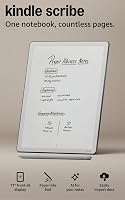
The Scribe is an 11-inch e-ink tablet built around reading and note taking. The Note Air6 C is a 10.3-inch Android tablet with a Kaleido 3 color screen.
One keeps distractions out; the other lets you install apps.


Boox Note Air 6C vs Kindle Scribe: the quick verdict
The Kindle Scribe is the better buy for most people, and the Boox Note Air6 C is the better buy for color and apps. That split holds up across screen, pen, software, storage and reading.
Our score weighs specs, features and how well each device fits what you're shopping for. The Scribe earns 8.4 and the Note Air6 C earns 7.7.
The Scribe's edge comes from focus. Amazon designed it for reading and writing, with a glare-free 11-inch screen and a pen that never needs charging.
If your day is books and notebooks, that is enough.
The Note Air6 C's edge is flexibility. Its Kaleido 3 screen shows 4,096 colors and Android 16 runs third-party apps.
That makes it the choice for color-coded notes, PDF markup and app-based workflows.
Neither device is a general-purpose laptop replacement. Both are e-ink tools for notes, documents and reading, and the best one depends on which of those you do most.
The two side by side
The Scribe is bigger and simpler; the Note Air6 C is smaller but more capable. Here is how the two devices line up on the facts that decide the purchase.
| Feature | Kindle Scribe 32GB | Boox Note Air6 C |
|---|---|---|
| Screen | 11 in glare-free, front light | 10.3 in Kaleido 3 color |
| Resolution | Not given in the specs | 2480 x 1860 B/W (300 ppi); 1240 x 930 color (150 ppi) |
| Pen | Included, no charging | BOOX stylus, magnetic |
| Operating system | Kindle software, built-in notebook | Android 16 |
| Storage | 32GB | 64GB plus microSD slot |
| Weight | About 400g | About 440g |
| Thickness | 5.4mm | 5.8mm |
| Battery | Weeks of reading and writing | 3,700mAh |
| Our score | 8.4 | 7.7 |
| Product | Best for | Display | Pen | Storage | Our score |
|---|---|---|---|---|---|
| Kindle Scribe 32GB | reading and writing | 11 in glare-free, front light | Included, no charging | 32GB | 8.4 |
| Boox Note Air6 C | color and apps | 10.3 in Kaleido 3, 4,096 colors | BOOX stylus, magnetic | 64GB, microSD slot | 7.7 |
The table shows the trade clearly. The Scribe gives you a larger screen and a pen that never needs a charge.
The Note Air6 C gives you color, more storage and app support in a slightly heavier body.
Screen: color vs a bigger black-and-white page
Pick the Scribe if you want the largest, calmest reading page; pick the Note Air6 C if color matters to your notes. Screen size and color are the first real fork in this decision.
The Scribe's 11-inch display is glare-free and has a front light that adapts to your room. Amazon says the screen automatically adjusts brightness and lets you warm the light for night reading.
At 11 inches it gives you more room to read and write than the Note Air6 C's 10.3 inches.
The Note Air6 C's Kaleido 3 screen adds 4,096 colors. That helps with color-coded notes, highlighted PDFs and charts.
The trade is resolution: color content runs at 1240 x 930 and 150 ppi, while black and white runs at 2480 x 1860 and 300 ppi.
For plain text and long reading sessions, the Scribe's larger black-and-white page is the more comfortable option. For anything where color carries meaning, the Note Air6 C is the only one of the two that can show it.
How the front lights compare
Both have front lights with warm and cool settings. The Scribe's light adapts brightness to your room automatically.
The Note Air6 C has a front light with color temperature management, warm and cold.
Boox notes that its side-lit design can make the side nearer the light source slightly brighter and the far side slightly darker. That is a real trade-off to know about, not a fault.
The Scribe's adaptive lighting is the more even, hands-off experience for reading at night.
Pen and writing feel
The Scribe's pen is the easier one to live with because it never needs charging. Both devices include a stylus, but the pen details decide which feels simpler day to day.
The Scribe includes a pen with a built-in eraser and a shortcut button for tools like the highlighter. Amazon says the textured surface and responsive display create a paper-like feel.
The pen never needs charging, so it's always ready when you pick it up.
The Note Air6 C uses the BOOX Pen3 stylus, which attaches magnetically. It works with the capacitive touch layer and the tablet's note apps.
You get pressure-sensitive writing and erasing like the Scribe, but the pen is part of a broader Android setup.
If you write in short bursts and hate hunting for a charger, the Scribe's pen is the friendlier choice. If you want a stylus inside a flexible app environment, the Note Air6 C makes more sense.
Software: focused notebooks vs Android apps
The Scribe keeps you inside reading and notebooks; the Note Air6 C opens the Android app store. This is the biggest lifestyle difference between the two.
Amazon built the Scribe to stay focused. It has a built-in notebook and AI tools that help you find information, ask questions about your notes and generate summaries.
You can also clean up handwriting or convert it to text. Amazon says the device is purpose-built for reading and writing, without distracting apps and notifications.
The Note Air6 C runs Android 16 and supports third-party apps. That means you can install the note, reading and productivity apps you already use.
It opens documents in many formats, including PDF, EPUB, MOBI, DOCX and PPTX.
The Scribe works with popular cloud services too. You can import files from Google Drive or Microsoft OneDrive, add handwritten notes and markups, and export them as PDFs.
Notebooks can go to Microsoft OneNote to edit anywhere.
The difference is depth. The Scribe connects to the services you already use; the Note Air6 C runs the apps themselves.
For a reader who wants fewer distractions, the Scribe's narrower software is a feature. For someone who needs a specific Android app, it's a limit.
Writing and reading in the same place
The Scribe lets you jot notes right on the page as you read. Amazon says text shifts to make room when you write between the lines, and you can expand and collapse margins.
That keeps reading and note taking in one flow.
The Note Air6 C handles annotated reading through its document apps and third-party software. It's capable, but it asks you to manage apps and settings rather than following one built-in path.
Our Kindle Scribe review covers how the built-in notebook behaves in daily use.
Storage, speed and battery
The Note Air6 C gives you more storage and a card slot; the Scribe gives you weeks of battery and faster page turns. These are practical differences you'll feel over months of use.
The Scribe comes with 32GB and Amazon says it turns pages 40% faster than before. It's also 5.4mm thin and about 400g.
Amazon promises weeks of reading and writing on a single charge.
The Note Air6 C has 64GB of storage and a microSD card slot, plus 6GB of RAM. It uses a Qualcomm 6690 CPU with a BSR GPU.
Its battery is 3,700mAh, and the tablet weighs about 440g at 5.8mm thick.
If you store large PDF libraries or lots of documents, the Note Air6 C's card slot is a real advantage. If you want to charge rarely and turn pages quickly, the Scribe's battery and speed claims favor it.
For a broader field, our roundup of the best e ink tablet for note taking puts both kinds of device in context.
Reading and buying books
The Scribe is the better reader for Kindle books and the Note Air6 C is the better reader for mixed formats. Where your library lives should shape the choice.
The Scribe connects to the Kindle Store and its millions of titles. You can read and annotate in the same place, with the note tools built into the page.
For anyone already in the Kindle ecosystem, that is a strong reason to pick it.
The Note Air6 C supports EPUB, EPUB3, AZW3, MOBI and more. It can open books from many stores and libraries, and Android reading apps run on it.
If your library is scattered across formats and stores, the Boox is more flexible.
The Scribe's larger screen also helps here. An 11-inch page shows more text with fewer turns, and the warm light setting makes long evening sessions easier.
The Note Air6 C's color screen can show covers and comics in color, which the Scribe cannot.
Notes on documents and PDFs
The Scribe imports files from Google Drive and OneDrive, then lets you mark them up by hand and export as PDFs. That covers contracts, papers and work documents without printing.
The Note Air6 C opens PDF, CAJ, DJVU and many office formats, and its Android apps add more options. Color helps when a document uses color to carry meaning.
If you mark up color-coded PDFs often, the Boox pulls ahead.
Who should buy which
Buy the Kindle Scribe if reading and distraction-free notes are your priority; buy the Boox Note Air6 C if you need color or Android apps. The buyer's habits decide this more than the spec sheet does.
Pick the Scribe if you read a lot of Kindle books, take focused notes and want a pen that's always ready. It suits students, readers and anyone who wants a single-purpose device that won't pull them into apps.
The larger 11-inch screen and adaptive light make long sessions easier.
Pick the Note Air6 C if color matters, you rely on specific Android apps or you keep a large document library. It suits people who annotate color-coded PDFs, read comics and magazines, or want one device that runs the software they already know.
The microSD slot and 64GB of storage help with big files.
Skip both if you need video, games or a full laptop replacement. E-ink screens are built for text and notes, and neither device is meant for that kind of work.
If you're weighing Boox against another brand instead, our reMarkable vs Boox comparison covers that choice. You can also read how the Boox Note Air 5C vs Kindle Scribe Colorsoft matchup plays out if color is your main interest.
Verdict: the Scribe wins overall, the Boox wins on color
The Kindle Scribe is the better buy for most readers at 8.4, and the Boox Note Air6 C is the better buy for color and app users at 7.7. In the Boox Note Air 6C vs Kindle Scribe decision, pick the Scribe unless color or Android apps are must-haves.
The Scribe wins on screen size, pen simplicity, reading focus and battery. Those are the things most note tablet buyers use every day.
It's the calmer, more focused device, and the pen that never needs charging removes a small but constant annoyance.
The Note Air6 C wins on color, storage and software flexibility. Its Kaleido 3 screen and Android 16 make it the pick for color-coded work and app-based workflows.
The lower score reflects the trade-offs: smaller screen, uneven side lighting and color resolution below black and white.
Choose the Scribe if you read and write in one focused flow. Choose the Note Air6 C if color and apps are part of how you work.
Either way, match the device to your daily habit, not to the longest feature list.
Frequently asked questions
Is the Boox Note Air6 C screen color?
Yes. It uses a 10.3-inch Kaleido 3 screen with 4,096 colors.
Color resolution is 1240 x 930 at 150 ppi, while black and white content shows at 2480 x 1860 and 300 ppi.
Does the Kindle Scribe pen need charging?
No. The included pen works without charging and has a built-in eraser plus a shortcut button for tools like the highlighter.
That means one less cable to carry when you write away from a desk.
Can the Kindle Scribe run Android apps?
No. The Scribe is purpose-built for reading and writing, without distracting apps and notifications.
The Boox Note Air6 C runs Android 16 and supports third-party apps, so it works more like a general tablet.
Which device has the larger screen?
The Kindle Scribe has an 11-inch display, while the Boox Note Air6 C is 10.3 inches. The Scribe gives you more room to read and write, but the Note Air6 C is the lighter of the two at about 440g.
Which is better for reading Kindle books?
The Kindle Scribe is the better fit for Kindle books. You can buy from the Kindle Store and jot notes right on the page, writing between the lines as text shifts to make room.
The Boox runs Android apps instead.