Kindle Scribe vs Boox Note Air 4C: Which to Buy? (November 2026)
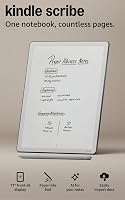
For most people, the Kindle Scribe is the better buy. Its 11-inch paper-like display, built-in notebook and long battery life make reading and writing simple, while the Boox Note Air 4C is the pick for readers who want a more open Android-style tablet.
On this page (7 sections)
- The quick verdict: Kindle Scribe vs Boox Note Air 4C
- Kindle Scribe vs Boox Note Air 4C side by side
- Which screen suits your reading and notes?
- Which is better for taking notes and marking up PDFs?
- How do the reading experiences compare?
- Which should you buy for school or work?
- Kindle Scribe vs Boox Note Air 4C: which wins for you?
For most people, the Kindle Scribe is the better buy. It combines an 11-inch paper-like display, a pen that never needs charging and a built-in notebook that stays focused on reading and writing.
The Boox Note Air 4C is the stronger choice when you want a more open, app-friendly tablet.
The kindle scribe vs boox note air 4c question really comes down to how much you value simplicity versus flexibility. Both are e ink tablets with large screens and stylus input, so the decision rests on color, apps, file handling and how much distraction you want around your notes.
This comparison looks at the two Kindle Scribe models Amazon offers and what the Boox Note Air 4C brings to the table. We checked the specs and features of each so you can match one to your reading and note-taking habits.
The quick verdict: Kindle Scribe vs Boox Note Air 4C
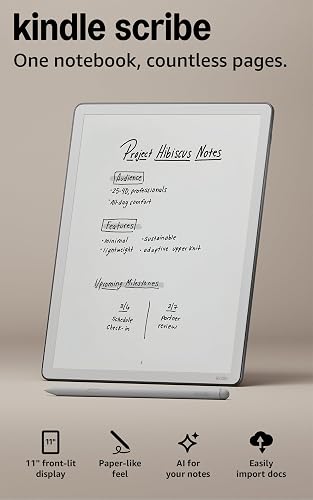
The Kindle Scribe wins for most readers because it does the basics cleanly. The 11-inch glare-free screen, included pen and built-in notebook cover reading and writing without an app store to manage.
The Boox Note Air 4C earns its place when you need a color screen and wider app support.
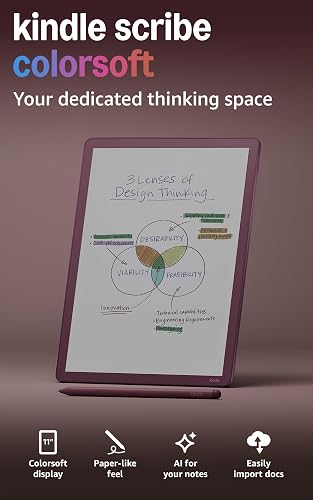
Amazon's Scribe lineup now has two clear tiers. The Scribe Colorsoft 64GB is the top pick with a color display, while the standard Scribe 64GB keeps the same screen size and pen at a more focused level.
The Boox Note Air 4C sits in the same 10 to 11-inch class but leans toward flexibility.
If your day is mostly Kindle books, PDFs and handwritten notes, the Scribe is the simpler device. If you want to install reading apps and juggle files from several cloud services, the Boox makes more sense.
That's the core of the kindle scribe vs boox note air 4c decision.
Kindle Scribe vs Boox Note Air 4C side by side
Both are large e ink tablets with pen input, but they aim at different buyers. The Scribe is a reading-first device that writes well, while the Boox Note Air 4C is a note-first device that also reads.
| Product | Best for | Display | Pen | Weight | Our score |
|---|---|---|---|---|---|
| Amazon Kindle Scribe Colorsoft 64GB | color notes and reading | 11-inch Colorsoft | Included, no charging | 400g | 9.7 |
| Amazon Kindle Scribe 64GB | distraction-free reading | 11-inch glare-free | Included, no charging | 400g | 9.6 |
The table above shows where the two Kindle Scribe models differ and how the Boox fits the same buyer profile. Amazon's 11-inch Scribe models are 5.4mm thin and weigh 400g, so they carry easily in a bag.
The Boox Note Air 4C shares the large-screen format but offers a color panel and Android-based software.
Neither device is a laptop replacement. They're best for reading long documents, marking up PDFs and taking handwritten notes without the notifications and apps that pull you away.
That shared purpose is why the comparison matters more than the spec sheet alone.
Both Kindle Scribe models also share the same 64GB of storage and the same included pen, so the only real split inside the Scribe lineup is the display. That keeps the shopping decision short on the Amazon side and pushes most of the comparison weight onto the Scribe versus Boox question.
Which screen suits your reading and notes?
The Kindle Scribe Colorsoft is the one to pick for color. Its 11-inch Colorsoft display shows high-contrast color without the distracting flashes that color e ink sometimes produces.
The standard Scribe uses a glare-free black-and-white screen with front light and adaptive brightness.
If you highlight passages in color or want book covers and charts in color, the Colorsoft model is the clear choice. The standard Scribe is easier on the eyes in bright sunlight and keeps the paper-like look that many readers prefer for long sessions.
For a deeper look at the reading side of the device, see our Kindle Scribe review.
The Boox Note Air 4C also uses a color e ink panel. That makes it a natural fit for color-coded notes and highlighted documents.
The trade-off is that color e ink typically looks more muted than an LCD, so neither tablet will match a phone or laptop screen for vivid images.
Is color worth paying more for?
Color earns its keep when your notes rely on it. Color-coded highlights, marked-up charts and colored ink in sketches all benefit from a color panel.
If your reading is mostly text novels and your notes are plain black ink, the standard Scribe's black-and-white screen does the same job for less.
The Colorsoft model's color is designed for contrast and comfort, not saturation. That's a fair fit for reading and writing, where sharp text matters more than bright photos.
For the kind of tablet comparison that goes deeper on the reMarkable side, our reMarkable vs Boox guide covers another alternative worth considering.
Which is better for taking notes and marking up PDFs?
Both handle handwritten notes and document markups, but the Kindle Scribe makes them easier to find and act on. Its built-in notebook supports AI tools that search your writing, answer questions about it and generate summaries.
Handwriting cleanup and text conversion are also part of the package.
The included pen has a built-in eraser and a shortcut button for tools like the highlighter. It never needs charging, so there's no stylus battery to think about before a session.
That's a small detail that matters when you grab the tablet for a quick note.
Document review is a strong point on the Scribe. You can import files from Google Drive or Microsoft OneDrive, add handwritten notes and markups, then export them as PDFs.
Notebooks can also go to Microsoft OneNote for editing elsewhere. That covers the common case of reading a PDF and annotating it without printing.
Where the Boox Note Air 4C pulls ahead
The Boox Note Air 4C gives you a more open software environment. That means more freedom to install apps and set up your own workflow across files and services.
If your notes need to flow between several cloud tools and a mix of apps, the Boox is more adaptable.
The Kindle Scribe, by contrast, is purpose-built for reading and writing. Amazon says it's designed to keep distractions out, without apps and notifications pulling you away.
For many people that's a feature, not a limit. The decision comes down to whether you want fewer choices or more.
If you're weighing a newer color model on the Amazon side, our Boox Note Air 5C vs Kindle Scribe Colorsoft comparison looks at how the generations line up.
How do the reading experiences compare?
The Kindle Scribe is the more natural reader for Kindle books. You can choose from millions of titles in the Kindle Store and jot notes right on the page.
Text shifts to make room for your writing, and you can expand or collapse margins as needed.
That's a reading-first design that puts the book at the center.
The Boox Note Air 4C reads through installed apps rather than Amazon's own store. That's more flexible if you buy books from several sources, but it also means more setup and more places for notifications to creep in.
For readers who mostly stay inside Amazon's ecosystem, the Scribe is the smoother path.
Long battery life helps either way. The Scribe is rated for weeks of reading and writing on a single charge, so it suits travel and long study sessions.
The glare-free screen stays readable in bright sunlight, which matters if you read outside or near a window.
Which one stays focused?
The Scribe's advantage is what it doesn't do. Without a full app store and notifications, it's easier to sit down and read or write.
The Boox Note Air 4C's flexibility is also its risk: more apps mean more chances to drift.
If focus is your main goal, the Scribe's design is the stronger fit. If you need a specific app for your reading or note workflow, the Boox is the one that can run it.
How the in-page note tools differ
Reading notes on the Scribe are built around the page itself. You write between the lines and the text shifts to make room, so your margin note sits where it belongs in the book.
When a passage needs more space, you expand the margin and collapse it again once you've finished.
That matters for study. You can keep a marked-up copy of a chapter and a set of notes in the same view without opening a separate app.
The AI tools then help you find information across what you've written and generate summaries when you review later.
On the Boox Note Air 4C, the reading layer comes from whatever reading app you install. That gives you more sources and more markup styles, but the tools are tied to the app rather than to the device.
The Scribe's approach is narrower and more consistent from book to book.
Which should you buy for school or work?
Choose the Kindle Scribe for class notes, reading and document markup in one place. Students and knowledge workers who read PDFs and take handwritten notes get a simple loop: import, annotate, export.
The AI tools can summarize notes and help you find information later, which saves time when reviewing a long set of notes.
The standard Scribe's 40% faster writing and page turns make it feel more responsive during lectures and meetings. The Colorsoft model adds color for diagrams and highlighted material.
Either model keeps your notes in a notebook you can send to OneNote.
The Boox Note Air 4C fits workplaces that already run on a mix of apps and cloud services. Its more open software lets you match the tablet to your existing tools rather than changing how you work.
For a broader look at the category, our roundup of the best E Ink tablets for note taking compares the main options.
Who should skip both?
Skip both if you need a full-color screen for photo editing or video. E ink is built for text and notes, and neither tablet replaces a laptop for heavy multitasking.
If you mainly read novels and rarely write, a smaller, cheaper Kindle may be the better buy.
Kindle Scribe vs Boox Note Air 4C: which wins for you?
Pick the Kindle Scribe for most people. The Scribe Colorsoft 64GB is the best overall pick here, with a color display, an included pen and a notebook that handles reading and writing without extra apps.
The standard Scribe 64GB is the better value if color isn't important to you.
Pick the Boox Note Air 4C only if you need an app-friendly tablet. Its open software and color screen suit readers who want to install their own tools and move files between services.
That flexibility is real, but it comes with more setup and more distractions.
For the kindle scribe vs boox note air 4c choice, the honest answer is that the Scribe is the easier device to live with for reading and notes. The Boox is the one to choose when you need the tablet to fit around your apps rather than the other way around.
Either way, the 11-inch screen size is the sweet spot for handwritten work and document reading.
If you want the newest color Kindle Scribe, start with the Scribe Colorsoft 64GB. If you'd rather keep things simple and black-and-white, the standard Scribe 64GB is the safe pick.
Both include the pen and both stay focused on the page in front of you.
Frequently asked questions
Does the Kindle Scribe have a color screen?
The Kindle Scribe Colorsoft model does. Its 11-inch Colorsoft display shows color without the flashes common on color e ink, while the standard Kindle Scribe uses a black-and-white glare-free screen.
Can I read Kindle books on the Boox Note Air 4C?
You can install the Kindle app on the Boox Note Air 4C, but the reading experience is built around Android rather than Amazon's own software. The Kindle Scribe opens Kindle Store titles directly and lets you write notes on the page.
Which tablet is better for taking notes in meetings?
Both handle meeting notes well. The Kindle Scribe keeps you focused with a built-in notebook and no distracting apps, while the Boox Note Air 4C gives you more ways to bring in files and apps if your workflow depends on them.
Do both tablets come with a pen?
Yes, the pen is included with the Kindle Scribe models and never needs charging. It has a built-in eraser and a shortcut button for tools like the highlighter, so you can write and mark up without buying a separate stylus.